Below is a detailed guide on 'How to replicate data from one company to another'.
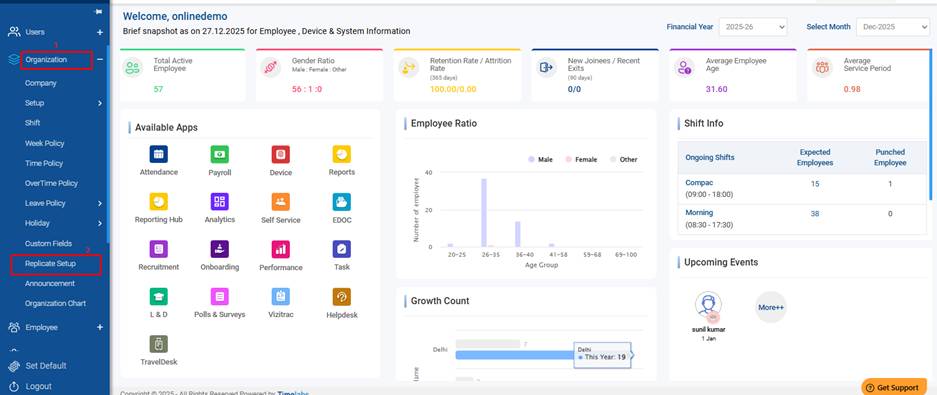
Step 1: Log in to the portal and navigate to the Dashboard. From the Organization menu, click Organization, then select Replicate Setup.
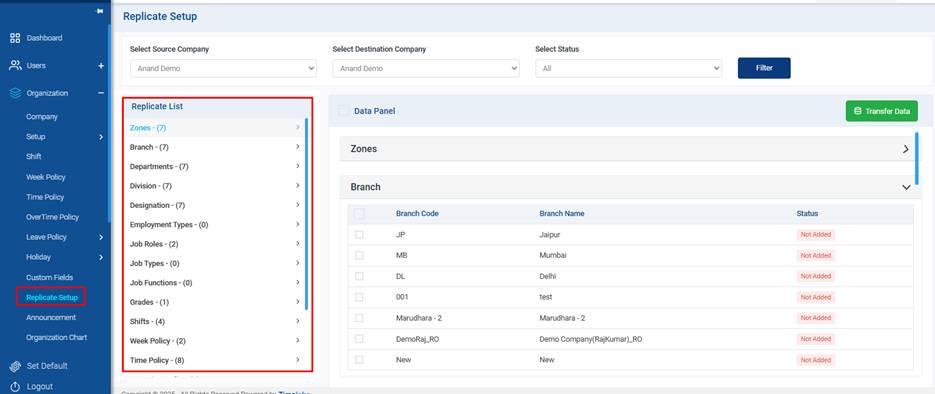
Step 2: You will be redirected to the replication screen. Here, you can view a list of available replication options. Any data shown in this list can be transferred from one company to another.
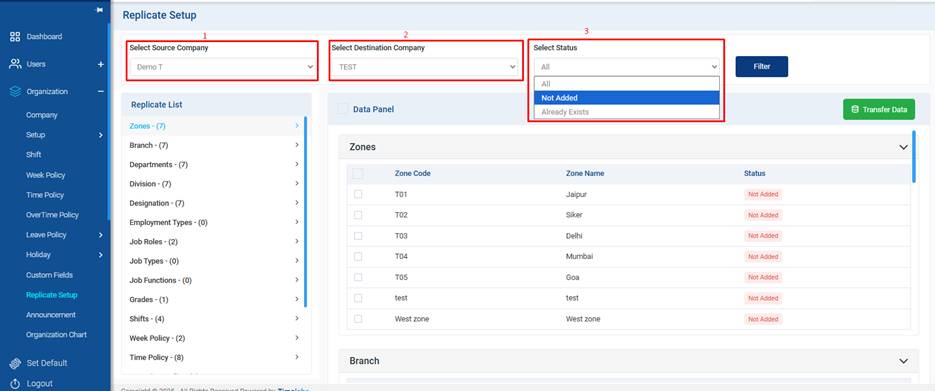
Step 3: On the replication screen, set up the following configuration details:
1.Select Source Company
- Choose the company from which data needs to be replicated.
2.Select Destination Company
- Select the company to which the data will be transferred.
3. Select Status- To filter the data
Not Added – The data does not exist in the destination company.
Already Exists – The data is already present in the destination company.
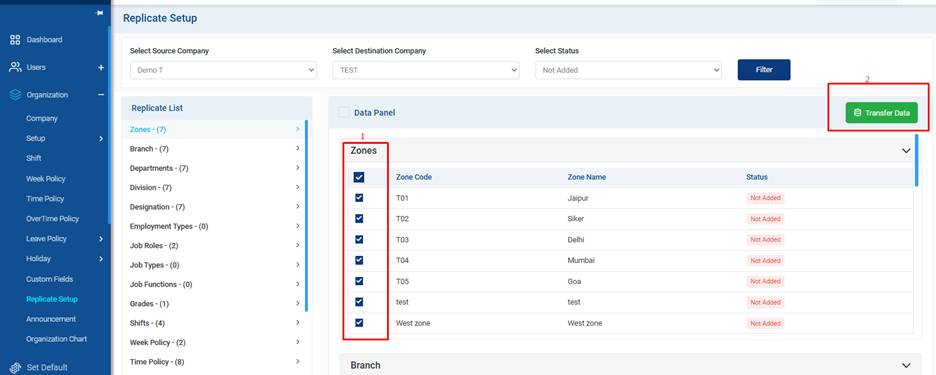
Step 4: After selecting the Source Company, Destination Company, and Status, click the Transfer Data button.
The selected data will be successfully replicated to the destination company.
The Replication Setup feature saves time by allowing configurations and definitions to be easily copied from one company to another, ensuring consistency across companies.
Was this article helpful?
That’s Great!
Thank you for your feedback
Sorry! We couldn't be helpful
Thank you for your feedback
Feedback sent
We appreciate your effort and will try to fix the article